15
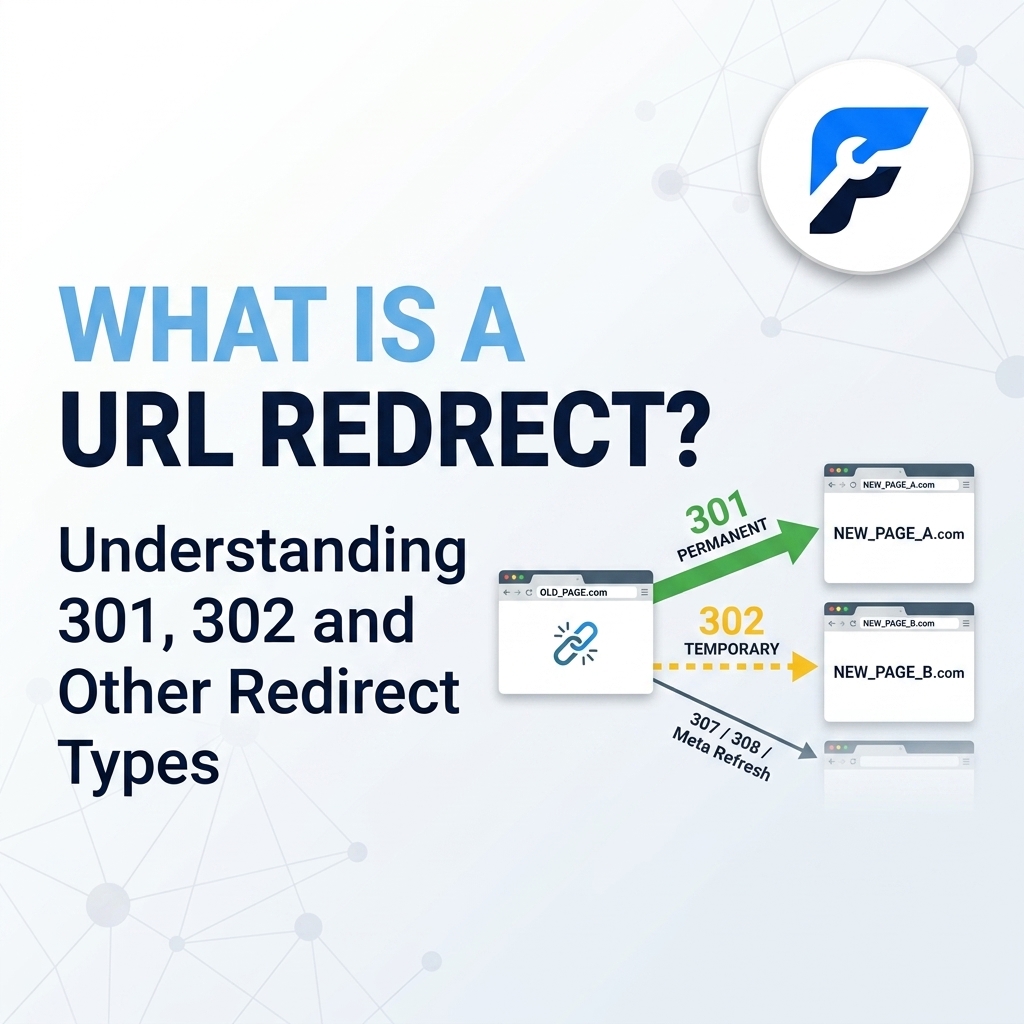
What Is a URL Redirect? Understanding 301, 302 and Other Redirect Types
What Is a URL Redirect
When you visit a website, you may occasionally click a link and notice that the browser takes you to a different URL than the one you originally requested. This process is known as a URL redirect.
URL redirects are an essential part of website management. They help website owners move pages, change domains, fix broken links, manage duplicate URLs, improve user experience, and preserve search engine visibility. However, not all redirects work the same way. A 301 redirect, for example, communicates something very different from a 302 redirect.
Understanding redirects is especially important if you manage a website, work in SEO, publish content, or are making changes to your site's URL structure.
In this guide, you'll learn what a URL redirect is, how redirects work, the difference between 301, 302, 303, 307, and 308 redirects, when to use each type, and how redirects can affect SEO.
What Is a URL Redirect?
A URL redirect is a technique that automatically sends visitors and search engine crawlers from one URL to another.
For example, imagine your website has this old page:
https://example.com/old-page/
You decide to move the content to:
https://example.com/new-page/
Instead of leaving visitors with a broken link, you can create a redirect that automatically sends anyone visiting the old URL to the new one.
The visitor enters or clicks the old URL, but the server responds by telling the browser that the requested resource has moved or should be accessed at another location.
A simplified example looks like this:
Old URL → Redirect → New URL
This can happen almost instantly, so visitors may not even realize a redirect occurred.
How Does a URL Redirect Work?
A redirect usually happens through communication between the browser and the web server.
When someone requests a URL, the browser sends a request to the server. The server responds with an HTTP status code.
If the requested page has been redirected, the server can return a redirect status code along with a Location header containing the destination URL.
For example, a simplified HTTP response could look like this:
HTTP/1.1 301 Moved Permanently
Location: https://example.com/new-page/
The browser receives the response and requests the new URL.
The visitor is then taken to the destination page.
Different redirect status codes communicate different instructions. This is why choosing the correct redirect type matters.
What Is the Difference Between URL Encoding and URL Redirects?
URL encoding and URL redirects are two different concepts, although they are sometimes confused.
URL encoding is the process of converting characters that cannot safely appear in a URL into a format that can be transmitted reliably.
For example, spaces are commonly represented as:
%20
So a URL containing:
https://example.com/my page
may be encoded as:
https://example.com/my%20page
Characters such as spaces, certain punctuation marks, and non-ASCII characters may need encoding.
A URL redirect, on the other hand, sends a visitor from one URL to another.
For example:
https://example.com/old-page/
redirects to:
https://example.com/new-page/
Therefore:
- URL encoding changes how characters are represented in a URL.
- URL redirecting changes where the browser goes.
- Encoding deals with URL formatting and character representation.
- Redirects deal with URL destinations and HTTP responses.
Understanding this distinction can help prevent confusion when working with technical SEO and website URLs.
What Is a 301 Redirect?
A 301 redirect means that a resource has been moved permanently.
It is one of the most commonly used redirect types for website owners and SEO professionals.
Suppose you move:
https://example.com/old-post/
to:
https://example.com/new-post/
If the old URL should no longer be used, a 301 redirect can tell browsers and search engines that the new URL is the permanent replacement.
A typical response looks like:
HTTP/1.1 301 Moved Permanently
Location: https://example.com/new-post/
When Should You Use a 301 Redirect?
A 301 redirect is generally appropriate when a URL has permanently changed.
Common examples include:
- Moving a page to a new URL
- Changing your website's domain
- Moving from HTTP to HTTPS
- Combining two similar pages
- Changing your URL structure
- Redirecting an old article to an updated article
- Removing a page and replacing it with a relevant alternative
- Migrating from one website platform to another
301 Redirects and SEO
301 redirects are particularly important for SEO because they help search engines understand that a page has permanently moved.
When implemented correctly, a 301 can help consolidate signals associated with an old URL toward the new destination.
For example, if an old article has accumulated backlinks and search visibility, permanently redirecting it to a relevant replacement can help preserve the value associated with that URL.
However, redirects should not be used indiscriminately. Sending dozens of unrelated old URLs to a homepage, for example, may provide a poor user experience and may not accomplish the SEO goal you intended.
What Is a 302 Redirect?
A 302 redirect traditionally means Found and is commonly used when a resource is temporarily available at another URL.
For example, imagine you temporarily move a page from:
https://example.com/product/
to:
https://example.com/product-temporary/
You may use a 302 redirect if you expect the original URL to return later.
A simplified response is:
HTTP/1.1 302 Found
Location: https://example.com/product-temporary/
When Should You Use a 302 Redirect?
A 302 may be appropriate when the change is temporary.
Examples include:
- Temporary promotional pages
- Temporary website experiments
- Short-term maintenance situations
- Temporary redirects during testing
- Temporarily directing users to an alternative page
The key idea is that you do not want search engines to interpret the destination as the permanent replacement for the original URL.
301 vs. 302 Redirect: What's the Difference?
The simplest way to understand the difference is to think about your intention.
RedirectMain MeaningTypical Use
301 | Permanently moved | Permanent URL changes
302 | Temporarily redirected | Temporary changes
303 | See Other | Redirecting after a request to another resource
307 | Temporary Redirect | Temporary redirect while preserving request method
308 | Permanent Redirect | Permanent redirect while preserving request method
If you permanently move an article, a 301 is usually the more appropriate choice.
If you're temporarily testing an alternative destination, a 302 may be more suitable.
What Is a 303 Redirect?
A 303 See Other response tells the client that the requested resource can be found at another URL and should generally be retrieved using a GET request.
It is often useful in web applications after a form submission or other request where the server wants the user to retrieve a separate resource.
For example, a website may process a form submission and then redirect the visitor to a confirmation page.
The basic concept is:
Submit information → Server processes it → 303 → Confirmation page
This helps prevent users from accidentally resubmitting the original form when refreshing the confirmation page.
For ordinary SEO-focused URL changes, however, a 303 is not usually the first redirect type website owners think about. It serves a different technical purpose from a standard permanent page migration.
What Is a 307 Redirect?
A 307 Temporary Redirect indicates that a resource is temporarily available at another URL.
It is similar to a 302 redirect, but an important distinction is that a 307 is designed to preserve the HTTP request method.
For example, if the original request uses POST, the client should continue using POST when following a 307 redirect.
This behavior can matter for web applications and APIs.
For ordinary website page redirects, you will more commonly encounter 301 and 302 redirects, but developers may use 307 when preserving request behavior is important.
What Is a 308 Redirect?
A 308 Permanent Redirect indicates that a resource has permanently moved to another URL.
It is similar to a 301 redirect, but it preserves the HTTP request method.
A 308 can therefore be useful in technical applications where maintaining the original request method is important.
For example:
HTTP/1.1 308 Permanent Redirect
Location: https://example.com/new-resource
For typical content websites and SEO migrations, 301 redirects remain extremely common. However, 308 redirects are an important part of the HTTP redirect system, particularly for developers working with APIs and applications.
What Is a Meta Refresh Redirect?
A meta refresh is a redirect implemented in HTML rather than through a standard server-side HTTP redirect.
A simplified example might look like:
<meta http-equiv="refresh" content="5;url=https://example.com/new-page/">
This tells the browser to navigate to another page after a specified number of seconds.
Meta refreshes were historically used for redirects, but server-side redirects are generally preferable when you control the server because they communicate the intended HTTP status more directly.
If a page has permanently moved, a proper HTTP 301 redirect is usually a better solution than relying on a delayed meta refresh.
What Is a JavaScript Redirect?
A JavaScript redirect uses JavaScript code to send visitors to another URL.
For example:
window.location.href = "https://example.com/new-page/";
JavaScript redirects can have legitimate uses, particularly in web applications, but they should not normally be your first choice for a simple website URL migration.
If you need to permanently redirect one page to another, a proper HTTP redirect is generally cleaner and more reliable.
Why Are URL Redirects Important?
URL redirects serve several important purposes for website owners.
1. They Prevent Broken Links
When you change a URL without redirecting the old address, visitors who use the old link may encounter a 404 error.
A redirect allows you to send those visitors to the appropriate replacement page.
2. They Help During Website Migrations
Changing your domain, CMS, URL structure, or website architecture can result in hundreds or even thousands of old URLs.
Redirects help establish relationships between the old and new URLs.
3. They Improve User Experience
Visitors should not have to manually search for a page that has moved.
A properly configured redirect can automatically take them to the correct destination.
4. They Help Manage URL Changes
Websites evolve over time.
You may change:
/blog/post-title/
to:
/post-title/
Redirects allow the old address to continue working while your website adopts the new URL structure.
5. They Can Support SEO During Migrations
When URLs permanently change, properly implemented redirects can help search engines understand the migration and consolidate signals toward the new URLs.
This is particularly important for established pages that have links and search visibility.
How Redirects Affect SEO
Redirects can have a significant impact on SEO, especially during website migrations.
A well-planned redirect strategy can help prevent unnecessary traffic loss when URLs change.
For example, suppose your website receives organic traffic to:
example.com/healthy-breakfast-ideas/
You later change it to:
example.com/breakfast-ideas/
If the old URL is permanently redirected to the new URL, search engines and users have a clear path to the updated page.
However, poor redirect implementation can create problems.
Common issues include:
- Redirect chains
- Redirect loops
- Redirecting unrelated pages
- Large numbers of unnecessary redirects
- Redirecting everything to the homepage
- Using temporary redirects when a change is permanent
- Leaving important old URLs without appropriate redirects
What Is a Redirect Chain?
A redirect chain occurs when one URL redirects to another URL, which then redirects to another URL.
For example:
URL A → URL B → URL C → URL D
Every additional redirect creates another step before the visitor reaches the final page.
A better setup is:
URL A → URL D
Whenever possible, redirect the original URL directly to the final destination.
Redirect chains can make crawling and page loading more complicated and can make website maintenance harder.
What Is a Redirect Loop?
A redirect loop occurs when URLs continuously redirect to each other.
For example:
URL A → URL B
and then:
URL B → URL A
The browser can never reach a final page.
Visitors may see an error such as "too many redirects."
Redirect loops are often caused by incorrect server rules, conflicting plugins, HTTPS configuration problems, or poorly configured CMS settings.
Common Causes of Redirect Loops
Some common causes include:
- Incorrect .htaccess rules
- Conflicting WordPress plugins
- HTTP-to-HTTPS configuration problems
- Incorrect CDN settings
- Reverse proxy configuration errors
- Incorrect canonical or domain settings
- Multiple systems attempting to control redirects
When troubleshooting a redirect loop, check your server configuration and any services or plugins that may be modifying URL behavior.
Redirects and HTTPS
Redirects are commonly used when moving a website from HTTP to HTTPS.
For example:
http://example.com/page/
can redirect to:
https://example.com/page/
The goal is to ensure that visitors who access the older HTTP version are sent to the secure HTTPS version.
However, HTTPS migrations should be planned carefully. Ideally, you want a clean redirect path without unnecessary intermediate redirects.
For example, avoid:
HTTP → www HTTP → HTTPS → final URL
when you can configure a direct path such as:
HTTP → final HTTPS URL
Redirects When Changing Domains
Redirects are particularly important when changing domains.
Suppose your website moves from:
oldsite.com
to:
newsite.com
Simply purchasing the new domain and uploading the same content is not enough.
You should create appropriate redirects from the old URLs to their corresponding new URLs.
For example:
oldsite.com/about/ → newsite.com/about/
and:
oldsite.com/blog/article/ → newsite.com/blog/article/
Whenever possible, redirect each old URL to the most relevant equivalent new URL instead of sending every page to the homepage.
How to Create a 301 Redirect
The method you use depends on your hosting environment and website platform.
Apache .htaccess
On Apache servers, redirects can be configured through the .htaccess file.
A simple example is:
Redirect 301 /old-page/ https://example.com/new-page/
Another approach uses mod_rewrite:
RewriteEngine On
RewriteRule ^old-page/?$ https://example.com/new-page/ [R=301,L]
Always make a backup before editing .htaccess, because an incorrect rule can affect your entire website.
Nginx
On Nginx, a redirect can be configured in the server configuration.
For example:
location = /old-page/ {
    return 301 https://example.com/new-page/;
}
The exact configuration depends on your server setup.
WordPress
WordPress users can manage redirects through server configuration or redirect plugins.
Plugins can make redirect management easier if you are not comfortable editing server files manually.
However, avoid installing multiple plugins that perform the same redirect functions because they can create conflicts.
How to Check Whether a URL Redirect Works
After creating a redirect, test it.
Open the old URL in a browser and confirm that it reaches the intended destination.
You can also use browser developer tools or HTTP header-checking tools to inspect the response.
You want to verify:
- The old URL returns the intended redirect status.
- The Location header points to the correct destination.
- The final destination loads successfully.
- There are no unnecessary redirect steps.
- There is no redirect loop.
For important website migrations, testing redirects in bulk is especially useful.
Redirect Best Practices
Following a few simple practices can make your redirect strategy much safer.
Use 301 for Permanent URL Changes
If the page has permanently moved, a 301 is generally the appropriate choice.
Use 302 for Temporary Changes
If the original URL is expected to remain the primary URL, use a temporary redirect where appropriate.
Redirect to the Most Relevant Page
Avoid automatically redirecting every deleted page to your homepage.
If an article about "fall wedding bouquets" has been permanently replaced, redirect it to the most relevant replacement content rather than an unrelated page.
Avoid Redirect Chains
Whenever possible, redirect directly from the original URL to the final destination.
Avoid Redirect Loops
Every redirect should eventually lead to a valid final page.
Keep Redirects Organized
Large websites can accumulate thousands of redirect rules.
Maintain a record of important redirects so you know why they exist and where they point.
Test After Major Website Changes
Whenever you change your domain, permalink structure, hosting configuration, or HTTPS settings, test your redirects afterward.
Redirects vs. Canonical URLs
Redirects and canonical URLs are related to SEO but serve different purposes.
A redirect tells the browser to go somewhere else.
A canonical URL tells search engines which version of multiple similar URLs should be treated as the preferred version.
For example, suppose these URLs display essentially the same content:
example.com/page/
example.com/page/?source=newsletter
A canonical tag can indicate the preferred URL.
A redirect, however, actually sends the visitor to another URL.
Therefore, canonicalization and redirects should not be treated as interchangeable tools.
Redirects vs. 404 Errors
A redirect and a 404 error have completely different purposes.
A 404 Not Found response indicates that the requested resource cannot be found.
A redirect tells the browser where to find another resource.
If a page has genuinely been removed and there is no relevant replacement, allowing the URL to return a proper 404 can be appropriate.
If the page has been permanently moved to a relevant replacement, a 301 redirect may be more appropriate.
Should You Redirect Every Deleted Page?
No.
Not every deleted URL needs to be redirected.
If a deleted page has no meaningful replacement, forcing it to redirect to an unrelated page can create a poor experience.
Instead, consider whether there is a genuinely relevant destination.
For example:
Good:
old-product-page → replacement-product-page
Potentially poor:
old-product-page → homepage
The best destination is usually the page that most closely satisfies the visitor's original intent.
Can Too Many Redirects Hurt a Website?
Redirects themselves are not inherently bad. In fact, they are an essential part of maintaining many websites.
The problem is poor redirect management.
Large numbers of unnecessary redirects can make your website configuration difficult to maintain and can create chains or loops.
A well-maintained website should periodically review redirects and remove unnecessary rules when appropriate.
Common URL Redirect Mistakes
Mistake 1: Using a 302 Instead of a Permanent Redirect
If a page has permanently moved but you use a temporary redirect, you may not be clearly communicating your intended URL migration.
Mistake 2: Redirecting Everything to the Homepage
This can be tempting when deleting old content, but it is often better to redirect individual URLs to relevant replacement pages.
Mistake 3: Creating Redirect Chains
Redirecting old URLs through several intermediate URLs adds unnecessary complexity.
Mistake 4: Creating Redirect Loops
A redirect configuration that points URLs back to one another can make pages inaccessible.
Mistake 5: Forgetting URL Variations
During a migration, remember that URLs may have variations involving trailing slashes, HTTP/HTTPS, subdomains, capitalization, parameters, and different URL structures.
Mistake 6: Not Testing Redirects
A redirect can look correct in a configuration file but still behave differently in production.
Always test important redirects after implementation.
Frequently Asked Questions About URL Redirects
What is a URL redirect in simple terms?
A URL redirect automatically sends visitors from one web address to another. It is commonly used when a page has moved, a domain has changed, or a website needs to temporarily send users somewhere else.
Is a 301 redirect permanent?
Yes. A 301 communicates that a resource has been permanently moved to another URL.
Is a 302 redirect temporary?
A 302 is generally used for a temporary redirect, although its exact technical semantics are defined by the HTTP specification. If a resource has permanently moved, a permanent redirect such as 301 or 308 is generally more appropriate.
Which is better for SEO: 301 or 302?
Neither is universally "better." The correct choice depends on whether the move is permanent or temporary. For a permanent URL change, a 301 is commonly used. For a temporary change, a 302 may be appropriate.
Can redirects affect website speed?
A redirect adds another request/response step before the browser reaches the destination. One properly implemented redirect is usually manageable, but long redirect chains can add unnecessary latency.
Can I redirect a URL without changing the domain?
Yes. You can redirect one page to another page on the same domain.
For example:
example.com/old/ → example.com/new/
Can I redirect an old domain to a new domain?
Yes. Domain migrations commonly use permanent redirects from the old domain to the new domain.
Are URL redirects important for SEO?
Yes. Redirects can be important for SEO when URLs change because they help users and search engines reach the correct replacement URLs.
What is the difference between 301 and 308?
Both indicate permanent redirects, but 308 is designed to preserve the original HTTP request method, whereas 301 has historically allowed user agents to change the method in certain circumstances.
For standard website page migrations, 301 is still a very common choice.
Final Thoughts
URL redirects are one of the most important technical tools for maintaining a healthy website.
Whether you're changing a single blog URL, restructuring your website, moving from HTTP to HTTPS, changing domains, or temporarily directing visitors to another page, choosing the correct redirect type can help you maintain a smooth user experience.
The most important redirect codes to understand are 301, 302, 303, 307, and 308. A 301 generally communicates a permanent move, while a 302 is commonly used for temporary redirects. The 303, 307, and 308 codes serve more specific technical purposes, particularly when request methods and web applications are involved.
For most website owners, the key rule is simple: use the redirect that accurately describes what you intend to happen.
A permanent move should generally use a permanent redirect, while a temporary change should generally use a temporary redirect. Keep your redirect paths direct, avoid chains and loops, send users to relevant destinations, and regularly test important redirects.
When handled correctly, redirects become a powerful part of website maintenance, technical SEO, and URL management rather than a source of problems.
Contact
Missing something?
Feel free to request missing tools or give some feedback using our contact form.
Contact Us