15
JSON vs CSV: What’s the Difference and When Should You Use Each Format?
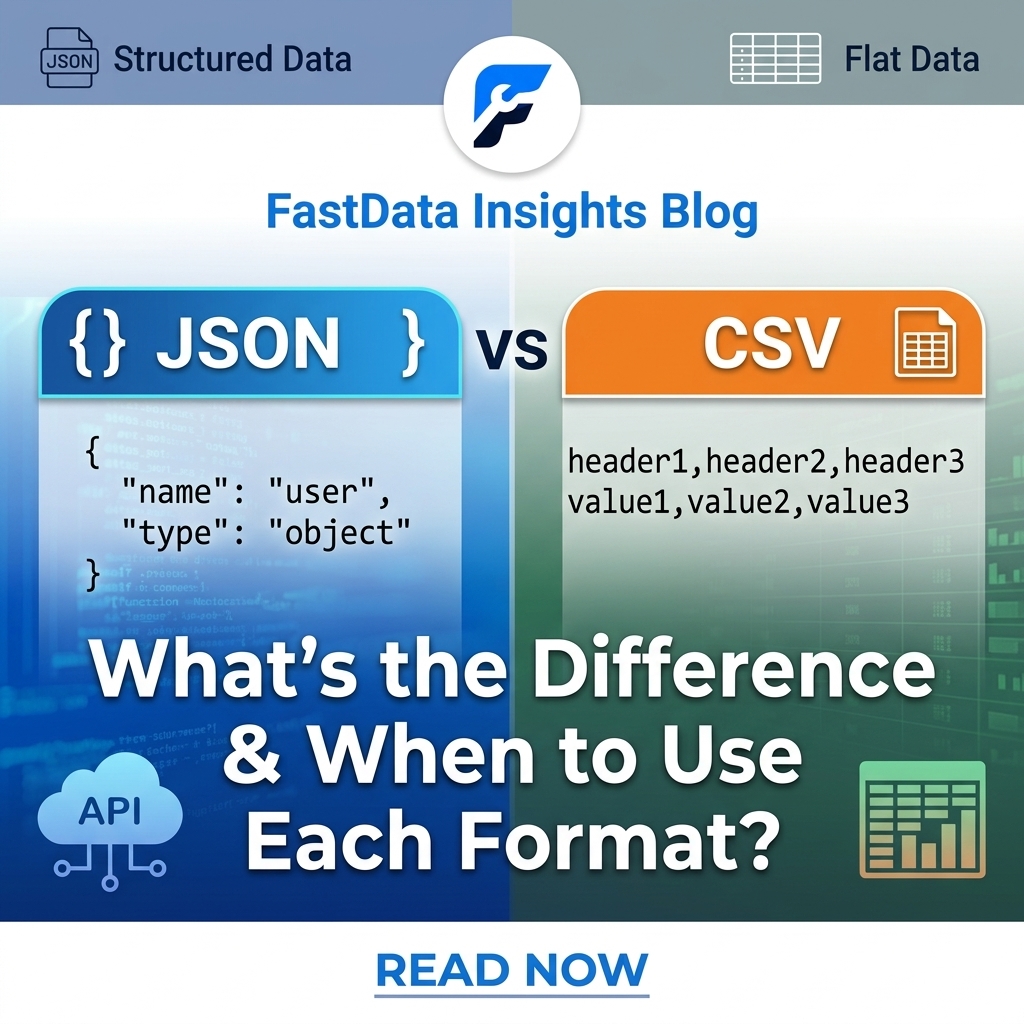
JSON vs CSV
When working with data, you’ll often come across two popular file formats: JSON and CSV. Both are widely used to store, exchange, and process information, but they are designed for different purposes.
CSV is simple, lightweight, and excellent for storing structured data in rows and columns. JSON, on the other hand, is designed to represent structured and hierarchical data, making it particularly useful for APIs, web applications, and modern software systems.
So, JSON vs CSV—which format should you use?
The answer depends on the type of data you have, how you plan to use it, and the applications that need to read or process it.
In this guide, we’ll explain the differences between JSON and CSV, look at their advantages and disadvantages, provide practical examples, and help you decide when to use each format.
What Is JSON?
JSON, which stands for JavaScript Object Notation, is a lightweight data format used to store and exchange structured information.
Although JSON originated from the JavaScript ecosystem, it is language-independent and can be processed by virtually every modern programming language, including Python, Java, PHP, JavaScript, C#, Java, Go, and Ruby.
JSON stores information using key-value pairs, arrays, and nested objects.
A simple JSON example looks like this:
{
  "name": "John Doe",
  "age": 30,
  "email": "john@example.com",
  "country": "Ghana"
}
In this example, each piece of information has a key such as name, age, email, or country.
JSON can also represent more complex relationships:
{
  "customer": {
    "name": "John Doe",
    "email": "john@example.com"
  },
  "orders": [
    {
      "product": "Laptop",
      "price": 800
    },
    {
      "product": "Mouse",
      "price": 25
    }
  ]
}
This ability to contain nested objects and arrays is one of the biggest differences between JSON and CSV.
What Is CSV?
CSV stands for Comma-Separated Values. It is a simple text-based format used to represent tabular data.
A CSV file usually consists of rows and columns. Each row represents a record, while commas separate individual fields.
For example:
Name,Age,Email,Country
John Doe,30,john@example.com,Ghana
Jane Smith,28,jane@example.com,USA
Michael Brown,35,michael@example.com,Canada
CSV files are particularly popular because they are simple and can be opened by spreadsheet applications such as Microsoft Excel, Google Sheets, and many database and data-analysis tools.
Although commas are commonly used as separators, CSV files can sometimes use other delimiters, such as semicolons or tabs, depending on the application and regional settings.
JSON vs CSV: The Main Difference
The biggest difference between JSON and CSV is how they represent data.
CSV represents information as a flat table, while JSON can represent nested and hierarchical structures.
For example, consider customer information.
A CSV file might look like this:
Name,Email,Product,Price
John Doe,john@example.com,Laptop,800
John Doe,john@example.com,Mouse,25
The same information could be represented in JSON like this:
{
  "name": "John Doe",
  "email": "john@example.com",
  "products": [
    {
      "name": "Laptop",
      "price": 800
    },
    {
      "name": "Mouse",
      "price": 25
    }
  ]
}
The JSON structure makes the relationship between the customer and their products more explicit.
CSV is generally easier to view as a table, while JSON is better suited to representing relationships between different pieces of data.
JSON vs CSV Comparison Table
FeatureJSONCSV
Full name | JavaScript Object Notation | Comma-Separated Values
Structure | Hierarchical | Tabular
Nested data | Supported | Not naturally supported
Human readability | Generally easy | Very easy for tables
Spreadsheet compatibility | Limited without importing | Excellent
API usage | Extremely common | Less common
File size | Can be larger | Often smaller
Data types | Can represent strings, numbers, booleans, arrays, objects, and null | Usually treated as text unless interpreted by software
Relationships | Easy to represent | Difficult
Complexity | Better for complex data | Better for simple data
Database imports | Supported by many tools | Very common
Best for | APIs and structured applications | Tables and data exports
How JSON Stores Data
JSON uses several basic data types and structures.
These include:
- Objects
- Arrays
- Strings
- Numbers
- Booleans
- null
An object is enclosed in curly brackets:
{
  "name": "John",
  "age": 30
}
An array is enclosed in square brackets:
[
  "Apple",
  "Banana",
  "Orange"
]
JSON can combine these structures to create complex datasets.
For example:
{
  "employees": [
    {
      "name": "John",
      "department": "Sales",
      "skills": ["Communication", "Marketing"]
    },
    {
      "name": "Jane",
      "department": "IT",
      "skills": ["Python", "Database Management"]
    }
  ]
}
This structure would be difficult to represent naturally in a basic CSV file.
How CSV Stores Data
CSV uses rows and columns.
For example:
Name,Department,Age
John,Sales,30
Jane,IT,28
Michael,Marketing,35
The first row is commonly used as a header containing column names.
Each following row represents a record.
This makes CSV particularly useful when your data naturally fits into a spreadsheet-like structure.
For example:
Name | Department | Age
John | Sales | 30
Jane | IT | 28
Michael | Marketing | 35
The same table can easily be represented as CSV.
JSON Advantages
JSON has several advantages that make it popular in modern software development.
1. JSON Supports Nested Data
One of JSON's biggest advantages is its ability to represent nested information.
For example:
{
  "user": {
    "name": "John",
    "address": {
      "city": "Accra",
      "country": "Ghana"
    }
  }
}
You can have objects inside objects and arrays containing objects.
This is extremely useful for applications that work with complex data structures.
2. JSON Is Ideal for APIs
JSON is one of the most common formats used when applications communicate with each other through APIs.
For example, an API might return:
{
  "id": 123,
  "name": "John Doe",
  "status": "active"
}
A website, mobile application, or other software can easily parse this response and use the information.
3. JSON Supports Multiple Data Types
JSON can distinguish between different types of values.
For example:
{
  "name": "John",
  "age": 30,
  "active": true,
  "balance": 125.50,
  "phone": null
}
This makes JSON more expressive than a basic CSV file.
4. JSON Works Well With Modern Applications
JSON is widely supported by programming languages, web frameworks, databases, APIs, and cloud services.
This makes it a convenient choice for developers building websites, mobile applications, and software systems.
JSON Disadvantages
Despite its advantages, JSON isn't perfect.
1. JSON Can Be More Verbose
JSON often contains property names for every value.
For example:
{
  "name": "John",
  "age": 30,
  "country": "Ghana"
}
CSV can represent the same information more compactly:
Name,Age,Country
John,30,Ghana
For some datasets, especially very large flat tables, the repeated field names in JSON can increase file size.
2. JSON Can Be Less Convenient for Spreadsheet Users
If you're sending data to someone who primarily works with Excel or Google Sheets, CSV may be easier.
CSV is naturally organized into rows and columns, making it straightforward to open and edit in spreadsheet applications.
3. Complex JSON Can Become Difficult to Read
Simple JSON is easy to understand, but deeply nested JSON can become difficult to work with.
For example, a large API response containing many nested objects and arrays may be challenging to inspect manually.
CSV Advantages
CSV also has several important advantages.
1. CSV Is Simple
CSV is one of the simplest ways to represent structured data.
You don't need complicated syntax.
For example:
Name,Age,Country
John,30,Ghana
Jane,28,USA
The format is immediately understandable.
2. CSV Works Extremely Well With Spreadsheets
CSV files can easily be imported into spreadsheet applications.
This makes CSV a popular choice for:
- Reports
- Customer lists
- Product catalogs
- Financial data
- Analytics exports
- Contact lists
- Inventory data
3. CSV Is Good for Large Flat Datasets
When data consists mainly of rows and columns, CSV can be efficient and straightforward.
For example, a dataset containing thousands of customer records can be represented naturally as CSV.
4. CSV Is Widely Supported
CSV has been around for decades and is supported by countless applications.
You can work with CSV files using spreadsheet programs, databases, programming languages, data-analysis software, and text editors.
CSV Disadvantages
CSV's simplicity also creates some limitations.
1. CSV Doesn't Naturally Support Nested Data
Suppose one customer has multiple addresses or several orders.
Representing this relationship in CSV can become awkward.
You may have to duplicate customer information across multiple rows or create separate CSV files.
JSON handles this type of relationship much more naturally.
2. CSV Has Limited Type Information
A CSV file generally doesn't explicitly indicate whether a value is a number, date, boolean, or string.
For example:
Name,Age,Active
John,30,true
A program has to determine how those values should be interpreted.
JSON, by comparison, has defined data types for numbers and booleans.
3. CSV Can Have Parsing Complications
Despite appearing simple, CSV files can become complicated when values contain commas, quotes, or line breaks.
For example:
Name,Address
John Doe,"123 Main Street, Accra"
The quotation marks are needed because the address itself contains a comma.
Different applications may also handle delimiters, quotation marks, encoding, and line endings differently.
When Should You Use JSON?
JSON is usually the better choice when you're working with applications, APIs, or complex structured data.
Consider using JSON when:
You're Building an API
If a website or application needs to exchange structured data with another application, JSON is usually a strong choice.
Your Data Is Nested
If your data contains objects within objects, arrays, or relationships, JSON is much more suitable.
You're Developing a Web or Mobile Application
Modern web and mobile applications commonly consume API responses in JSON format.
You Need Explicit Data Types
JSON allows you to represent numbers, booleans, strings, arrays, objects, and null values.
Your Data Structure May Change
JSON can be flexible when different records contain different properties.
For example:
[
  {
    "name": "John",
    "age": 30
  },
  {
    "name": "Jane",
    "age": 28,
    "phone": "+123456789"
  }
]
This type of flexibility can be useful in application development.
When Should You Use CSV?
CSV is usually the better option when your data is flat and tabular.
Consider CSV when:
You're Working With Excel or Google Sheets
If people need to open, edit, filter, sort, or analyze the data in a spreadsheet, CSV is often the simplest option.
You're Exporting a Database Table
A database table with rows and columns maps naturally to CSV.
You're Sharing Simple Datasets
If you're sending a simple list of products, customers, transactions, or other records, CSV can be ideal.
You Need a Lightweight Format
For simple tabular datasets, CSV can avoid some of the structural overhead of JSON.
Your Data Doesn't Require Nested Relationships
If every record has essentially the same set of fields, CSV is often easier to work with.
JSON vs CSV for APIs
When it comes to APIs, JSON is generally the more natural choice.
Consider an e-commerce application.
A JSON API response could look like this:
{
  "customer": {
    "id": 1001,
    "name": "John Doe"
  },
  "orders": [
    {
      "id": 5001,
      "total": 125.00
    },
    {
      "id": 5002,
      "total": 75.50
    }
  ]
}
This response clearly communicates that the orders belong to the customer.
Representing the same relationship in CSV would require a flatter structure.
For this reason, JSON is commonly preferred for application-to-application communication.
JSON vs CSV for Data Analysis
The better format depends on what you're doing.
If you're analyzing a flat dataset containing thousands of rows and columns, CSV is often convenient.
For example:
Date,Product,Sales,Country
2026-08-01,Laptop,1200,Ghana
2026-08-02,Mouse,450,USA
2026-08-03,Keyboard,700,Canada
This structure can easily be loaded into spreadsheet and data-analysis software.
However, if the source data contains complex nested structures, JSON may be preferable initially. You can then transform the JSON into a tabular format before analysis.
JSON vs CSV for File Size
File size depends heavily on the structure and content of the dataset, so there isn't a universal winner.
For simple, repetitive tables, CSV can often be more compact because column names are usually written only once.
JSON may require property names to be repeated for every object:
[
  {
    "name": "John",
    "age": 30
  },
  {
    "name": "Jane",
    "age": 28
  }
]
A CSV representation could be:
name,age
John,30
Jane,28
For large datasets, compression can also significantly reduce the difference in storage size.
Therefore, don't choose a format based on file size alone. Consider how the data will be consumed.
JSON vs CSV: Which Is Easier to Read?
Both formats can be easy to read, but they are optimized for different kinds of information.
CSV is easier to read when the data is a table.
For example:
Name,Age,Country
John,30,Ghana
Jane,28,USA
JSON is easier to understand when the data has relationships or hierarchy.
For example:
{
  "name": "John",
  "address": {
    "city": "Accra",
    "country": "Ghana"
  }
}
So the answer depends on the structure of your data.
Can You Convert JSON to CSV?
Yes. JSON can be converted to CSV, but the process works best when the JSON data has a relatively consistent structure.
For example:
[
  {
    "name": "John",
    "age": 30
  },
  {
    "name": "Jane",
    "age": 28
  }
]
can be converted into:
name,age
John,30
Jane,28
However, nested JSON may need to be flattened before it can be represented effectively as CSV.
For example:
{
  "name": "John",
  "address": {
    "city": "Accra",
    "country": "Ghana"
  }
}
might become:
name,address_city,address_country
John,Accra,Ghana
The exact conversion approach depends on how complex the original JSON structure is.
Can You Convert CSV to JSON?
Yes, CSV can also be converted to JSON.
For example:
Name,Age,Country
John,30,Ghana
Jane,28,USA
can become:
[
  {
    "Name": "John",
    "Age": 30,
    "Country": "Ghana"
  },
  {
    "Name": "Jane",
    "Age": 28,
    "Country": "USA"
  }
]
This is useful when you have data stored in a spreadsheet but need to use it inside a web application or API.
Keep in mind that converting CSV to JSON doesn't automatically create meaningful relationships. It simply changes how the existing records are represented.
JSON vs CSV for Developers
For developers, the right format depends largely on the application.
JSON is usually preferable for:
- REST APIs
- Web applications
- Mobile applications
- Configuration files
- Nested data
- Application-to-application communication
- Complex data structures
CSV is often preferable for:
- Data exports
- Spreadsheet workflows
- Database exports
- Simple reports
- Bulk imports
- Flat datasets
- Human-managed tables
In many real-world projects, developers use both formats rather than choosing only one.
For example, an application might store or exchange data using JSON while providing users with a CSV export for Excel.
JSON vs CSV: Which Is Better?
There isn't a single winner between JSON and CSV.
Instead, each format is better suited to different situations.
Choose JSON if:
- Your data is hierarchical.
- You need nested objects or arrays.
- You're building or consuming an API.
- You're developing a web or mobile application.
- You need explicit data types.
- Your application requires flexible data structures.
Choose CSV if:
- Your data is primarily rows and columns.
- You need to work with spreadsheets.
- You're exporting a database table.
- You need a simple, widely supported format.
- Users need to manually inspect or edit the data.
- Your dataset doesn't require complex relationships.
Frequently Asked Questions About JSON vs CSV
Is JSON better than CSV?
Not necessarily. JSON is better for hierarchical and application-oriented data, while CSV is often better for simple tabular datasets and spreadsheet workflows.
Is CSV faster than JSON?
It depends on the application, dataset, parser, and processing method. CSV can be efficient for large flat tables, while JSON can be more convenient when applications need structured or nested information.
Which format is better for APIs?
JSON is generally the more common choice for modern APIs because it naturally represents objects, arrays, nested data, and different data types.
Which format is better for Excel?
CSV is generally more convenient for Excel because it is designed around rows and columns.
Can JSON and CSV store the same data?
Sometimes. Simple tabular data can usually be represented in either format. However, complex hierarchical JSON structures may not map cleanly to CSV without flattening the data.
Is JSON a database?
No. JSON is a data representation format. A JSON file can store information, but it is not itself a database management system.
Is CSV a programming language?
No. CSV is a data storage and exchange format. It does not contain programming logic like a programming language.
Should I use JSON or CSV for a website?
If the website needs to exchange structured data with an API or JavaScript application, JSON is often the better choice. If you're providing users with downloadable tables or reports, CSV may be more appropriate.
Final Verdict: JSON vs CSV
The choice between JSON and CSV ultimately comes down to the structure and purpose of your data.
CSV is simple, lightweight, and excellent for flat tabular information. It's particularly useful for spreadsheets, database exports, reports, and datasets that consist of consistent rows and columns.
JSON is flexible, structured, and ideal for modern applications. Its support for nested objects, arrays, and multiple data types makes it especially useful for APIs, websites, mobile applications, and complex data.
The easiest way to remember the difference is:
Use CSV when your data looks like a spreadsheet. Use JSON when your data looks like an application object.
In many projects, you don't have to choose one format permanently. You can use JSON for application communication and convert the data to CSV when users need a spreadsheet-friendly export.
Understanding the strengths and limitations of both formats will help you choose the right format for your project instead of simply using whichever one you encounter first.
Contact
Missing something?
Feel free to request missing tools or give some feedback using our contact form.
Contact Us