15
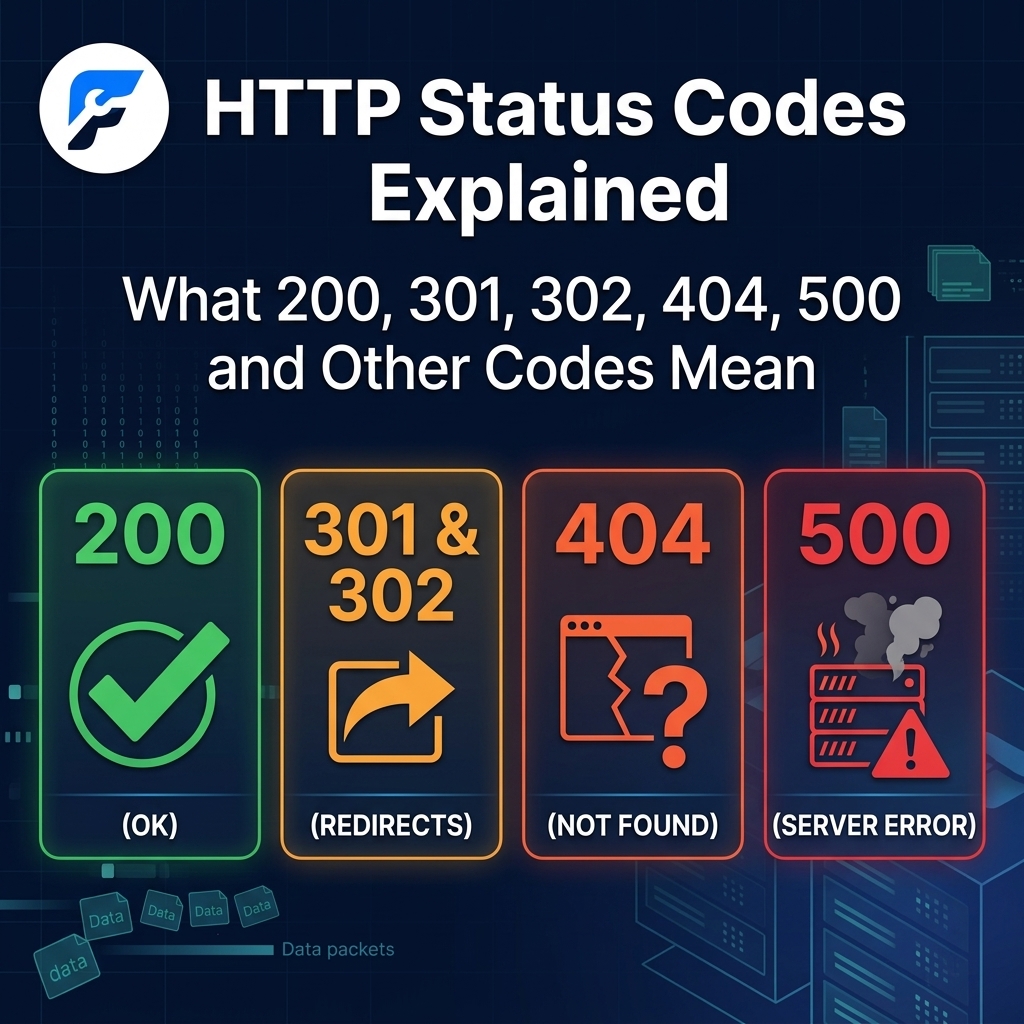
HTTP Status Codes Explained: What 200, 301, 302, 404, 500 and Other Codes Mean
HTTP Status Codes Explained
When you visit a website, submit a form, click a link, or load an image, your browser and the web server communicate behind the scenes using HTTP (Hypertext Transfer Protocol). One of the most important parts of this communication is the HTTP status code.
HTTP status codes are three-digit numbers returned by a web server to tell a browser, search engine, API, or other client what happened when it processed a request. A status code can indicate that a request was successful, that a page has moved, that something could not be found, or that the server encountered an error.
Understanding HTTP status codes is especially important for website owners, developers, bloggers, and SEO professionals. The wrong status code can create broken pages, redirect problems, crawling issues, poor user experiences, and potentially wasted search engine crawl resources.
In this beginner-friendly guide, we'll explain what HTTP status codes are, how the different categories work, and what common codes such as 200, 301, 302, 404, and 500 actually mean.
What Is an HTTP Status Code?
An HTTP status code is a three-digit response sent by a web server after receiving a request from a client.
For example, when you type a URL into your browser, the browser sends a request to the website's server. The server processes that request and sends back a response.
A simplified interaction looks like this:
Browser → Request → Web Server → Response → Browser
The response normally contains an HTTP status code that describes the result.
If the requested webpage loads successfully, the server may return:
200 OK
If the page has permanently moved to another URL, the server may return:
301 Moved Permanently
If the requested page does not exist, the server may return:
404 Not Found
If the server encounters an unexpected problem, it may return:
500 Internal Server Error
These codes help browsers, search engines, developers, and other systems understand what happened to a request.
HTTP Status Code Categories
HTTP status codes are divided into five main categories based on their first digit.
Code RangeCategoryMeaning
100–199 | Informational | The request has been received or is being processed
200–299 | Success | The request was successfully processed
300–399 | Redirection | Additional action is required, usually a redirect
400–499 | Client Errors | There is a problem with the request or requested resource
500–599 | Server Errors | The server failed to fulfill a valid request
You don't need to memorize every HTTP status code. However, understanding the most common ones can make troubleshooting websites and SEO issues much easier.
1. 1xx Status Codes: Informational Responses
HTTP status codes beginning with 1 are informational responses.
They generally indicate that the server has received the request and that additional processing is taking place.
100 Continue
100 Continue tells the client that the initial part of a request has been received and that it should continue sending the request.
This status is mostly relevant to HTTP clients and server communication rather than everyday website browsing.
101 Switching Protocols
101 Switching Protocols indicates that the server agrees to switch to another communication protocol requested by the client.
It can be used in situations such as upgrading an HTTP connection to another protocol.
103 Early Hints
103 Early Hints can allow a server to send preliminary information to a browser before the final response is ready.
For example, it can help a browser begin preparing important resources such as stylesheets or fonts while the server continues processing the request.
For most website owners, 1xx responses are less important than the 2xx, 3xx, 4xx, and 5xx codes.
2. 2xx Status Codes: Successful Requests
HTTP status codes beginning with 2 generally mean that the request was successfully received and processed.
These are normally positive responses.
200 OK
200 OK is one of the most important HTTP status codes.
It means the server successfully processed the request.
For example, when you visit:
https://example.com/about
and the page loads normally, the server will commonly return:
200 OK
A 200 response generally tells browsers and search engine crawlers that the requested resource exists and was successfully delivered.
Is 200 good for SEO?
Generally, yes.
A normal indexable webpage that you want search engines to access should typically return a successful response such as 200 OK.
However, a 200 status code by itself does not guarantee that a page will rank or even be indexed. Search engines consider many other factors, including content quality, indexing directives, canonicalization, relevance, and website authority.
201 Created
201 Created means that a request successfully created a new resource.
This status is commonly used by APIs.
For example, when an application sends a request to create a new user account or database record, the server may respond with 201.
202 Accepted
202 Accepted means the server has accepted the request for processing, but the processing may not have finished yet.
This is useful for tasks that take time to complete.
204 No Content
204 No Content means the request was successfully processed, but there is no content to return in the response body.
This is commonly used with APIs and other programmatic requests.
3. 3xx Status Codes: Redirects and Other Responses
HTTP status codes beginning with 3 generally indicate that the client needs to take additional action.
The most important 3xx codes for website owners are 301 and 302.
301 Moved Permanently
301 Moved Permanently tells clients that a resource has permanently moved to a new URL.
For example, imagine you originally had:
https://example.com/old-page
and you permanently move the content to:
https://example.com/new-page
You can use a 301 redirect from the old URL to the new one.
When someone visits the old URL, the server tells the browser that the resource has permanently moved.
When should you use a 301 redirect?
A 301 redirect is commonly appropriate when:
- You permanently change a page URL
- You change your domain
- You move from HTTP to HTTPS
- You consolidate duplicate pages
- You permanently replace an old page with a new URL
- You restructure your website
- You want an old URL to point to its permanent replacement
301 redirects and SEO
301 redirects are particularly important for SEO because they help search engines understand that a URL has permanently moved.
When implementing a redirect, make sure the destination page is genuinely relevant to the original URL. Redirecting many unrelated URLs to a homepage simply to capture traffic is generally a poor practice.
You should also avoid creating unnecessary chains such as:
Page A → Page B → Page C → Page D
Whenever possible, redirect the original URL directly to the final destination:
Page A → Page D
This can make the redirect path cleaner and reduce unnecessary requests.
4. 302 Found
302 Found is generally used when a resource is temporarily available at another URL.
For example, you might temporarily redirect:
example.com/promotion
to:
example.com/summer-sale
while a temporary campaign is running.
Once the campaign ends, the original URL can return to its normal destination.
301 vs. 302: What's the difference?
The simplest way to remember the difference is:
301 = permanent move
302 = temporary move
If you know that a URL has permanently moved, use an appropriate permanent redirect rather than a temporary redirect.
If the change is genuinely temporary, a 302 may be appropriate.
5. 303 See Other
303 See Other tells the client that the requested resource can be found at another URL and that it should retrieve that URL using a GET request.
It is more commonly encountered in web applications and APIs than during ordinary website browsing.
6. 304 Not Modified
304 Not Modified indicates that the requested resource has not changed since the version stored by the client or cache.
Instead of downloading the resource again, the browser or caching system can use its existing copy.
This can reduce unnecessary data transfers and improve performance.
A 304 response is not normally an error.
7. 307 Temporary Redirect
307 Temporary Redirect is another type of temporary redirect.
It is similar to a 302, but HTTP semantics place greater emphasis on preserving the original request method when following the redirect.
For most basic website management, you can think of it as another option for a temporary redirect.
8. 308 Permanent Redirect
308 Permanent Redirect indicates that a resource has permanently moved to another URL.
It is similar to a 301, with stricter HTTP behavior regarding preservation of the request method.
For typical webpage redirects, 301 remains extremely common, while 308 can be useful in specific technical situations.
9. 4xx Status Codes: Client Errors
HTTP status codes beginning with 4 generally indicate that something went wrong with the request from the client side.
This does not necessarily mean that a person made a mistake. A client could be a browser, search engine crawler, mobile application, API client, or another system.
The most famous 4xx status code is 404.
400 Bad Request
400 Bad Request means the server could not process the request because it was invalid or malformed.
This can happen when a request contains incorrect syntax, invalid parameters, or other information that the server cannot properly understand.
For website visitors, a 400 error may indicate a problem with the URL or request.
10. 401 Unauthorized
401 Unauthorized indicates that authentication is required or that the provided authentication credentials are not acceptable.
You might encounter this when trying to access a protected area of a website or API without valid authentication.
It is commonly associated with login systems and APIs.
11. 403 Forbidden
403 Forbidden means the server understood the request but refuses to fulfill it.
For example, a server might return 403 when access to a particular directory or resource is restricted.
Common causes include:
- Incorrect file permissions
- Security rules
- Firewall restrictions
- IP blocking
- Access-control configurations
- Authentication or authorization policies
A 403 is different from a 404.
403 = the server knows about the resource but refuses access.
404 = the requested resource could not be found.
12. 404 Not Found
404 Not Found is one of the most recognizable HTTP status codes.
It means the server could not find the requested resource.
For example, if someone visits:
https://example.com/this-page-does-not-exist
the server may return:
404 Not Found
What causes a 404 error?
Common causes include:
- A page was deleted
- A URL was changed
- Someone typed the URL incorrectly
- An internal link points to the wrong URL
- An external website links to a deleted page
- A website was reorganized
- A resource was removed
Are 404 errors bad for SEO?
Not necessarily.
A 404 response is normal when a requested resource genuinely does not exist.
The problem occurs when important pages accidentally return 404 errors or when a website contains large numbers of broken internal links.
For example, if you delete an important article without providing an appropriate replacement, visitors who follow old links may encounter a 404 page.
How should you fix 404 errors?
The correct solution depends on why the page is missing.
If the page was permanently moved, use a relevant 301 redirect.
If the page was intentionally removed and there is no suitable replacement, allowing it to return a 404 may be perfectly appropriate.
If the page should exist but accidentally disappeared, restore it.
You should also update internal links that point to URLs that no longer exist.
13. 405 Method Not Allowed
405 Method Not Allowed means that the server understands the HTTP method used in the request but does not allow that method for the requested resource.
For example, an endpoint may allow GET requests but reject POST requests.
This is more common in APIs and web applications than in normal website browsing.
14. 408 Request Timeout
408 Request Timeout indicates that the server did not receive a complete request within the time it was prepared to wait.
This can happen because of network problems, slow connections, overloaded systems, or other communication issues.
15. 409 Conflict
409 Conflict means that the request conflicts with the current state of the resource.
It is frequently encountered in APIs and applications where two operations could interfere with each other.
16. 410 Gone
410 Gone indicates that a resource has been intentionally removed and is no longer available.
Unlike 404, which generally means the server cannot find the requested resource, 410 communicates that the resource is intentionally gone.
This can be useful when a website owner knows that a URL has been permanently removed and has no replacement.
17. 429 Too Many Requests
429 Too Many Requests means the client has sent too many requests within a certain period.
It is commonly associated with rate limiting.
For example, an API may limit how many requests an application can make per minute.
A server may return 429 to prevent excessive traffic or abuse.
If you're building an application that communicates with an API, you should handle 429 responses carefully and follow the server's rate-limit instructions.
18. 5xx Status Codes: Server Errors
HTTP status codes beginning with 5 generally indicate that the server encountered a problem while trying to fulfill a valid request.
These errors are particularly important for website owners because persistent server errors can make websites difficult or impossible for visitors and search engine crawlers to access.
500 Internal Server Error
500 Internal Server Error is one of the most common server-side errors.
It means the server encountered an unexpected condition that prevented it from completing the request.
A 500 error can have many possible causes.
For example:
- Broken website code
- Plugin conflicts
- Server configuration problems
- PHP errors
- Database problems
- Incorrect permissions
- Exhausted server resources
- Faulty application logic
How do you fix a 500 error?
The exact solution depends on the cause.
If you're using WordPress, you might investigate:
- Recent plugin changes
- Theme changes
- PHP errors
- Server error logs
- .htaccess configuration
- PHP memory limits
- Hosting resource limits
- Database problems
If the error appeared immediately after installing or updating a plugin, temporarily disabling that plugin can help determine whether it caused the problem.
For persistent server errors, your hosting provider may need to inspect server logs.
19. 501 Not Implemented
501 Not Implemented means the server does not support the functionality required to fulfill the request.
It is generally a server capability issue rather than a normal missing-page problem.
20. 502 Bad Gateway
502 Bad Gateway commonly occurs when a server acting as a gateway or proxy receives an invalid response from an upstream server.
This can happen in systems involving:
- Reverse proxies
- Load balancers
- CDNs
- Application servers
- Multiple backend services
For example:
Visitor → CDN/Proxy → Web Server → Application
If one component receives an invalid response from another server, a 502 error may occur.
21. 503 Service Unavailable
503 Service Unavailable means the server is currently unable to handle the request.
Common causes include:
- Server overload
- Maintenance
- Temporary outages
- Resource exhaustion
- Application failures
Unlike a 500 error, a 503 often communicates that the problem may be temporary.
A website undergoing planned maintenance may intentionally return a 503 response.
22. 504 Gateway Timeout
504 Gateway Timeout occurs when a gateway or proxy does not receive a timely response from an upstream server.
For example, if a reverse proxy is waiting for an application server and the application takes too long to respond, the proxy may return 504.
This can indicate:
- Slow database queries
- Overloaded servers
- Long-running scripts
- Network problems
- Backend application issues
- Hosting resource limitations
HTTP Status Codes and SEO
HTTP status codes are closely connected to technical SEO because search engines need to understand whether pages exist, have moved, are unavailable, or are experiencing errors.
However, there is no single status code that automatically makes a page rank better.
Instead, status codes help search engines correctly interpret your website.
200 responses
Use a successful response for pages that exist and are intended to be served normally.
301 redirects
Use permanent redirects when pages have permanently moved.
302 redirects
Use temporary redirects when a change is genuinely temporary.
404 responses
Use 404 when a requested page does not exist and there is no appropriate replacement.
410 responses
Use 410 when a resource has been intentionally and permanently removed.
5xx responses
Investigate persistent server errors because they can prevent visitors and crawlers from accessing your website.
Soft 404: What Is It?
A soft 404 is different from a normal HTTP 404.
A soft 404 occurs when a URL effectively represents a missing page but the server returns a successful response such as 200 OK.
For example, imagine someone visits:
example.com/page-that-does-not-exist
Instead of returning 404, the server displays a message saying:
"Sorry, this page doesn't exist."
but still returns:
200 OK
This can create confusion because the content indicates that the resource is missing while the HTTP response says the request was successful.
Search engines can sometimes identify these situations as soft 404s.
If a page genuinely does not exist, returning an appropriate 404 or 410 response is generally more accurate than pretending that the page successfully exists.
HTTP Status Codes vs. SEO Redirects
One common mistake website owners make is redirecting every problematic URL to the homepage.
For example:
Old URL → Homepage
This may technically eliminate the visible 404 page, but it does not necessarily create a useful experience for visitors.
Instead, redirect a removed URL to a closely relevant replacement when one exists.
For example:
Old article about summer wedding bouquets → New article about summer wedding bouquets
is much more logical than:
Old article about summer wedding bouquets → Homepage
If there is no relevant replacement, allowing the old URL to return a proper 404 may be the better choice.
How to Check HTTP Status Codes
There are several ways to check the HTTP status code of a URL.
1. Browser Developer Tools
Modern browsers include developer tools that allow you to inspect network requests.
Open the developer tools, go to the Network tab, and reload the webpage.
You can then inspect the individual requests and their status codes.
2. Website Crawlers
SEO crawling tools can scan an entire website and identify URLs returning:
- 200
- 301
- 302
- 404
- 403
- 500
- 503
- And other response codes
This is particularly useful for large websites.
3. Server Logs
Server logs can provide detailed information about requests and responses.
They are particularly useful when investigating recurring 4xx or 5xx errors.
4. Search Console
Search engine webmaster tools can also help identify crawling and indexing problems associated with pages on your website.
HTTP Status Codes Cheat Sheet
Here is a quick reference for some of the most important HTTP status codes:
Status Code | Meaning | Common Use
200 | OK | Successful request
201 | Created | New resource created
204 | No Content | Successful request with no response body
301 | Moved Permanently | Permanent URL redirect
302 | Found | Temporary redirect
303 | See Other | Redirect to another resource
304 | Not Modified | Cached resource can be reused
307 | Temporary Redirect | Temporary redirect
308 | Permanent Redirect | Permanent redirect
400 | Bad Request | Invalid request
401 | Unauthorized | Authentication required
403 | Forbidden | Access denied
404 | Not Found | Resource does not exist
405 | Method Not Allowed | HTTP method not supported for resource
408 | Request Timeout | Request took too long
409 | Conflict | Request conflicts with resource state
410 | Gone | Resource permanently removed
429 | Too Many Requests | Rate limit exceeded
500 | Internal Server Error | Unexpected server problem
501 | Not Implemented | Server does not support requested functionality
502 | Bad Gateway | Invalid upstream response
503 | Service Unavailable | Server temporarily unavailable
504 | Gateway Timeout | Upstream server took too long
What Is the Most Important HTTP Status Code for Website Owners?
There isn't one single status code that matters most in every situation.
However, website owners should become especially familiar with:
200 — Successful page
301 — Permanent redirect
302 — Temporary redirect
404 — Missing page
403 — Forbidden access
410 — Permanently removed page
500 — Internal server error
502 — Bad gateway
503 — Service unavailable
504 — Gateway timeout
Understanding these codes will help you diagnose many common website and SEO problems.
Common HTTP Status Code Mistakes
Using 302 Instead of 301 for a Permanent Move
If a page has permanently moved, using a temporary redirect can send an unclear signal about the intended permanence of the change.
Choose the redirect type based on the actual purpose of the redirect.
Redirecting Every 404 to the Homepage
Not every deleted page should be redirected to the homepage.
Only redirect when there is a meaningful and relevant destination.
Ignoring 5xx Errors
Occasional server errors can happen, but persistent 500, 502, 503, or 504 errors should be investigated.
They can affect both visitors and automated crawlers.
Leaving Broken Internal Links
If you delete or rename a page, review internal links pointing to the old URL.
Updating those links can prevent visitors from unnecessarily encountering 404 pages.
Creating Long Redirect Chains
Try to keep redirects as direct as possible.
Instead of:
A → B → C → D
prefer:
A → D
when appropriate.
Frequently Asked Questions About HTTP Status Codes
What does HTTP 200 mean?
HTTP 200 OK means that the server successfully processed the request and returned the requested resource.
What does HTTP 301 mean?
HTTP 301 Moved Permanently indicates that a resource has permanently moved to another URL.
What does HTTP 302 mean?
HTTP 302 Found is generally used to indicate that a resource is temporarily available at another URL.
What does HTTP 404 mean?
HTTP 404 Not Found means that the requested resource could not be found on the server.
What does HTTP 500 mean?
HTTP 500 Internal Server Error means that the server encountered an unexpected problem while processing the request.
Is a 404 error bad for SEO?
A 404 is not automatically bad for SEO. Websites naturally have URLs that disappear over time. The important thing is to make sure valuable pages aren't accidentally returning 404 responses and that broken internal links are corrected.
Is 301 or 302 better?
Neither is universally better. Use 301 for a permanent move and 302 for a temporary move.
What does 503 mean?
A 503 Service Unavailable response means the server is temporarily unable to handle the request. It can occur during maintenance, overload, or temporary service problems.
What is the difference between 404 and 410?
Both indicate that a resource isn't available, but 410 Gone explicitly communicates that the resource has been intentionally removed, while 404 simply indicates that the resource was not found.
Final Thoughts
HTTP status codes are an essential part of how the web works. Although they may look like simple three-digit numbers, they provide important information about what happened when a browser, search engine, application, or API requested a resource.
For website owners, the most important codes to understand are 200, 301, 302, 404, 403, 410, 500, 502, 503, and 504.
Remember the basics:
- 200 = successful request
- 301 = permanently moved
- 302 = temporarily redirected
- 404 = not found
- 403 = access forbidden
- 410 = permanently gone
- 500 = server error
- 502 = bad gateway
- 503 = temporarily unavailable
- 504 = gateway timeout
Once you understand these codes, diagnosing broken pages, redirect problems, crawling issues, and server errors becomes much easier. More importantly, you'll be able to make better technical decisions when managing your website and maintaining a healthy user experience.
Contact
Missing something?
Feel free to request missing tools or give some feedback using our contact form.
Contact Us