15
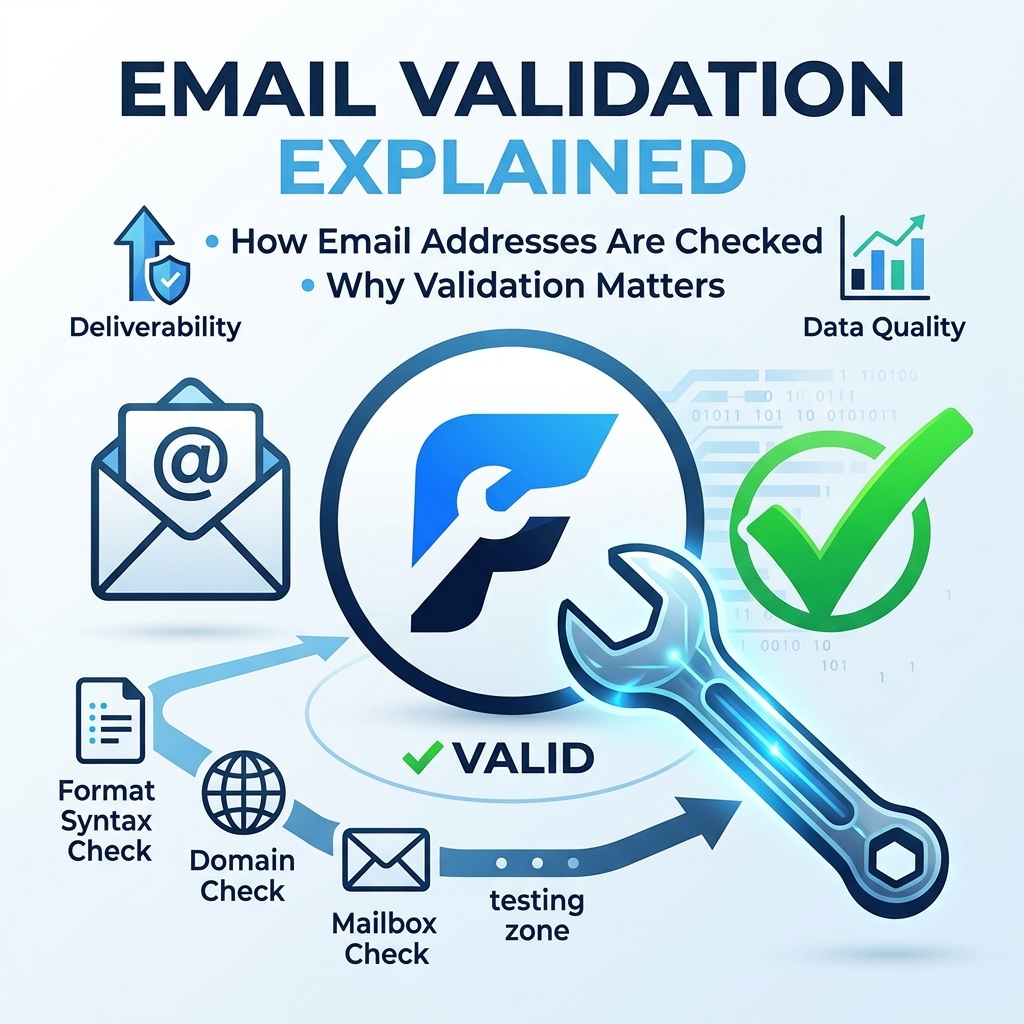
Email Validation Explained: How Email Addresses Are Checked and Why Validation Matters
Email Validation Explained
Email is one of the most widely used communication and identification methods on the internet. Websites use email addresses for account registration, password recovery, newsletters, order confirmations, notifications, marketing campaigns, and many other purposes.
However, not every email address entered into a form is valid, deliverable, or safe to use. A user may accidentally type an incorrect address, provide a temporary email, use a domain that does not accept mail, or enter an address that looks correct but cannot actually receive messages.
This is where email validation becomes important.
Email validation is the process of checking an email address to determine whether it follows the expected format and, depending on the validation method, whether the address or its domain is capable of receiving email.
In this guide, we will explain what email validation means, how email addresses are checked, the different levels of validation, why validation matters, and how businesses and website owners can use it effectively.
What Is Email Validation?
Email validation is a process used to check whether an email address is properly formatted and potentially capable of receiving email.
For example, an address such as:
john@example.com
has a basic structure that looks like a valid email address. It contains a username, an @ symbol, and a domain.
On the other hand:
johnexample.com
does not contain the required @ symbol, making it clearly invalid under normal email-address syntax.
Email validation can range from a simple format check to more advanced checks that examine the domain's mail-server configuration.
It is important to understand that validation does not always mean verification. A system may determine that an address has a valid structure without proving that a specific person owns or actively uses that address.
Why Is Email Validation Important?
Collecting accurate email addresses is important for almost every website or application that relies on email communication.
A poorly validated email list can lead to bounced messages, wasted marketing resources, poor sender reputation, and frustrated users.
Here are some of the main reasons email validation matters.
1. It Helps Prevent Typing Errors
People frequently make mistakes when entering email addresses.
For example, someone might accidentally enter:
jane@gmal.com
instead of:
jane@gmail.com
A validation system can detect certain problems before the form is submitted or before the address is added to a mailing list.
Catching errors at the point of entry can save users from missing important messages later.
2. It Reduces Email Bounces
An email bounce occurs when a message cannot be delivered to the intended recipient.
Large numbers of bounced emails can negatively affect the quality of an email list and may contribute to deliverability problems.
Validating addresses before sending campaigns can help reduce avoidable bounces.
3. It Improves Data Quality
Businesses often store email addresses in customer databases, CRM systems, newsletter platforms, and application databases.
If invalid addresses are collected, the database gradually becomes less reliable.
Email validation helps maintain cleaner and more useful customer information.
4. It Improves User Experience
Imagine registering for an important service and accidentally entering the wrong email address.
If the website accepts the address without warning, the user may never receive the confirmation email.
A validation system can identify obvious problems immediately and give the user an opportunity to correct them.
5. It Helps Protect Marketing Performance
Email marketing depends heavily on deliverability.
A mailing list containing large numbers of invalid or undeliverable addresses can result in unnecessary bounces and poor campaign performance.
Validating addresses before adding them to marketing lists can help maintain a healthier database.
How Does Email Validation Work?
Email validation can involve several different checks. Some are simple and happen almost instantly, while others require communication with external systems.
A typical validation process may include the following stages.
Step 1: Checking the Email Format
The first step is usually checking whether the address follows an acceptable email format.
A basic address generally contains:
- A local part or username
- An @ symbol
- A domain name
For example:
user@example.com
The validator may look for missing characters, invalid symbols, misplaced punctuation, or other formatting problems.
This is often called syntax validation.
Step 2: Checking the Domain
After checking the format, a validation system can examine the domain portion of the address.
For example, in:
user@example.com
the domain is:
example.com
The validator can check whether the domain exists and can be resolved through the Domain Name System (DNS).
If the domain does not exist, the email address is unlikely to be deliverable.
Step 3: Checking DNS Records
Email delivery depends on DNS information.
One important record is the MX record, or Mail Exchange record.
MX records identify the mail servers responsible for receiving email for a domain.
For example, if a domain has appropriate mail-server records, it indicates that the domain has infrastructure configured to receive email.
A validator may therefore perform an MX lookup as part of its checks.
Step 4: Checking Mail Server Availability
Some advanced validation services go further by communicating with the destination mail server.
The service may determine whether the server responds and whether it appears capable of accepting mail for the specified domain.
However, this method is not always conclusive.
Many mail providers use security measures that prevent external systems from reliably determining whether a particular mailbox exists.
Step 5: Identifying Disposable Email Addresses
Some validation systems can identify temporary or disposable email domains.
Disposable email services provide addresses that may only be used for a short period.
These addresses can be useful for certain situations, but businesses may choose to reject them when they need long-term customer communication.
Step 6: Detecting Role-Based Addresses
Some validation tools identify role-based addresses such as:
support@example.com
admin@example.com
info@example.com
sales@example.com
These addresses are not necessarily invalid. They may belong to legitimate businesses and can receive email.
However, marketers may treat them differently from individual subscriber addresses depending on their campaign requirements.
What Is Syntax Validation?
Syntax validation checks whether an email address follows an acceptable structural pattern.
For example:
alex@example.com
has a basic structure that appears valid.
Meanwhile:
alexexample.com
is missing the @ symbol.
Another obvious example is:
alex@
where the domain portion is missing.
Syntax validation is fast and useful, but it has an important limitation: a correctly formatted email address does not necessarily exist.
For example, an address may look structurally correct while the mailbox has never been created.
What Is Domain Validation?
Domain validation focuses on the domain used in an email address.
Consider:
hello@example.com
A domain-level validation process can determine whether example.com exists and whether it has appropriate DNS information associated with email delivery.
This is more useful than checking syntax alone because it examines whether the domain has a technical presence on the internet.
However, a valid domain still does not prove that the specific mailbox exists.
What Is SMTP Validation?
SMTP stands for Simple Mail Transfer Protocol, the standard protocol used for sending email across networks.
Some email validation services use SMTP-related checks to determine whether a destination mail server responds appropriately to requests.
This can provide more information than syntax or DNS validation alone.
However, SMTP validation has limitations. Mail providers can intentionally hide mailbox information, reject verification attempts, use anti-abuse systems, or provide responses that make it difficult to determine whether a particular address exists.
Therefore, SMTP validation should not be treated as an absolute guarantee.
What Is Email Verification?
Email verification is different from basic validation.
Validation generally asks:
"Does this address appear technically valid?"
Verification often asks:
"Can we confirm that this person controls this email address?"
The most reliable way to verify ownership is usually to send a confirmation message containing a link or code.
For example, after registering, a website might display:
Check your email to confirm your account.
The user receives an email and clicks a verification link.
This confirms that the person completing the process has access to the mailbox.
Email Validation vs. Email Verification
Although the terms are sometimes used interchangeably, they describe different processes.
FeatureEmail ValidationEmail Verification
Checks email format | Yes | Usually
Checks domain | Often | Usually
May check mail-server configuration | Sometimes | Sometimes
Confirms mailbox ownership | No | Yes
Requires user interaction | Usually no | Usually yes
Common use | Forms and databases | Account registration
A website may use both processes.
For example, it can validate an address during registration and then send a verification email to confirm ownership.
What Is Real-Time Email Validation?
Real-time email validation happens while the user is entering or submitting an email address.
For example, a registration form may immediately identify an obvious problem and display a message such as:
"Please enter a valid email address."
Real-time validation can improve the user experience because errors are corrected before the form is submitted.
It can also reduce the number of invalid addresses entering a database.
However, validation messages should be helpful rather than overly restrictive. Not every unusual-looking email address is invalid.
Client-Side vs. Server-Side Email Validation
Email validation can happen on the user's device, on the server, or through a combination of both.
Client-Side Validation
Client-side validation occurs in the browser.
It can quickly check whether the entered value follows a basic pattern.
The main advantage is speed and immediate feedback.
However, client-side validation should not be the only layer because users can bypass browser-based checks.
Server-Side Validation
Server-side validation occurs on the website's server.
The server can perform additional checks before storing or processing an email address.
Server-side validation is generally more important for security and data integrity because the website does not have to trust information supplied by the browser.
Best Approach: Use Both
A strong implementation often uses client-side validation for convenience and server-side validation for reliability.
This provides users with immediate feedback while ensuring that the server independently checks submitted information.
Can Email Validation Guarantee That an Email Exists?
No.
This is one of the most important things to understand about email validation.
Even if an email address:
- Has correct syntax
- Uses a real domain
- Has valid DNS records
- Has mail servers configured
there is no universal guarantee that the specific mailbox exists or belongs to the intended person.
Some email providers deliberately prevent external services from confirming mailbox existence.
Additionally, a mailbox can become inactive after validation.
For this reason, validation should be viewed as a way to reduce the likelihood of invalid addresses, not as a perfect guarantee of deliverability.
Common Types of Email Addresses That May Need Special Handling
Not every email address should automatically be rejected just because it looks unusual.
Some categories may deserve separate treatment.
Disposable Email Addresses
These are temporary addresses designed for short-term use.
They may be unsuitable for services that depend on long-term communication.
Role-Based Addresses
Examples include:
- admin@example.com
- support@example.com
- contact@example.com
- sales@example.com
These can be completely legitimate, but they may represent a team rather than an individual.
Free Email Addresses
Addresses from providers such as Gmail, Outlook, and Yahoo can be perfectly legitimate.
A website should not automatically reject an address simply because it uses a free email provider.
Catch-All Domains
Some mail servers are configured to accept messages for many or all addresses at a domain.
This can make it difficult for validation services to determine whether a specific mailbox exists.
How Email Validation Helps Websites
Website owners can use email validation in many different areas.
Registration Forms
Validation can prevent users from accidentally creating accounts with obvious email mistakes.
Contact Forms
Checking email addresses can help ensure that businesses have a usable way to respond to inquiries.
Newsletter Signups
Email validation can help reduce invalid addresses entering subscriber lists.
Checkout Forms
Online stores can use validation to reduce mistakes in customer contact information.
Lead Generation Forms
Businesses can improve the quality of collected leads by filtering obvious invalid addresses.
Password Recovery
Correct email information is especially important when users rely on email to recover access to their accounts.
How Email Validation Can Improve SEO and Website Performance
Email validation is not normally considered a direct search-engine ranking factor.
However, it can indirectly improve the quality of a website's operations.
Cleaner customer data can make email communication more reliable. Better communication can support user engagement, customer retention, and business performance.
For websites that rely heavily on email marketing, reducing invalid addresses can also help maintain healthier mailing lists.
The key point is that email validation should be viewed primarily as a data-quality and communication tool, rather than an SEO ranking technique.
Is Email Validation the Same as Spam Checking?
No.
Email validation and spam detection are related but different processes.
Email validation focuses on whether an email address is technically acceptable or potentially deliverable.
Spam checking focuses on whether a message, sender, domain, or address appears suspicious or associated with unwanted activity.
A valid email address can still belong to a spammer.
Likewise, an unusual-looking email address is not necessarily spam.
Businesses may use separate systems for email validation, fraud detection, and spam prevention.
What Happens When an Email Address Is Invalid?
The response depends on where the validation takes place.
On a website form, the user may receive an error message asking them to correct the address.
In an email marketing system, an invalid address may be rejected before the campaign is sent.
If a message is sent to an undeliverable address, the receiving mail system may return a bounce notification.
Handling these situations early can prevent unnecessary communication failures.
Best Practices for Email Validation
If you are building a website, application, or email list, consider the following practices.
Validate at the Point of Entry
Check addresses when users submit them rather than waiting until much later.
Use Server-Side Validation
Do not rely exclusively on browser-based validation.
Avoid Overly Strict Rules
Email syntax can be more complicated than a simple pattern suggests. Overly restrictive validation rules may reject legitimate addresses.
Check the Domain When Appropriate
Domain and DNS checks can provide additional information beyond basic formatting.
Use Confirmation Emails for Important Accounts
When account ownership matters, send a verification email containing a confirmation link or code.
Keep Your Email Database Clean
Regularly remove addresses that repeatedly bounce or become undeliverable.
Respect User Privacy
Email addresses are personal data. Store them securely and use them according to applicable privacy requirements and your site's privacy policy.
Frequently Asked Questions About Email Validation
What is email validation?
Email validation is the process of checking whether an email address has an acceptable format and, depending on the validation method, whether its domain and mail infrastructure appear capable of receiving email.
Can email validation tell me if an email address is real?
Not with absolute certainty. Validation can provide useful technical signals, but it cannot always confirm that a particular person owns or actively uses the mailbox.
Does a valid email address guarantee delivery?
No. A valid-looking address can still bounce because of mailbox restrictions, server problems, inactive accounts, temporary failures, or other delivery issues.
What is the difference between validation and verification?
Validation checks technical characteristics of an address. Verification usually involves confirming that the user has access to the mailbox, often by clicking a confirmation link or entering a code.
Should every website validate email addresses?
Websites that collect email addresses can generally benefit from validation, especially registration forms, contact forms, newsletters, online stores, and lead-generation forms.
Can email validation prevent spam?
It can help reduce certain types of poor-quality or invalid addresses, but it does not replace a complete spam-prevention system.
Is email validation necessary for email marketing?
It can be very useful because maintaining a clean subscriber list can reduce avoidable bounces and improve the overall quality of email campaigns.
Final Thoughts
Email validation is an important part of maintaining accurate and reliable digital communication.
At its simplest, validation checks whether an email address follows an acceptable format. More advanced systems can examine the domain, DNS records, mail-server configuration, disposable-email status, and other technical signals.
However, no validation method can guarantee that a mailbox belongs to a particular person or will remain active forever. For important accounts, email verification through a confirmation link or code provides an additional layer of certainty.
Whether you run a blog, online store, SaaS application, newsletter, business website, or customer database, adding appropriate email validation can help reduce errors, improve data quality, and create a smoother experience for users.
The best approach is to combine sensible format validation, server-side checks, appropriate domain-level checks, and email verification when ownership needs to be confirmed. This gives you a practical balance between usability, reliability, and data quality.
Contact
Missing something?
Feel free to request missing tools or give some feedback using our contact form.
Contact Us